Passport Photo Sizes by Country (2026 Guide)
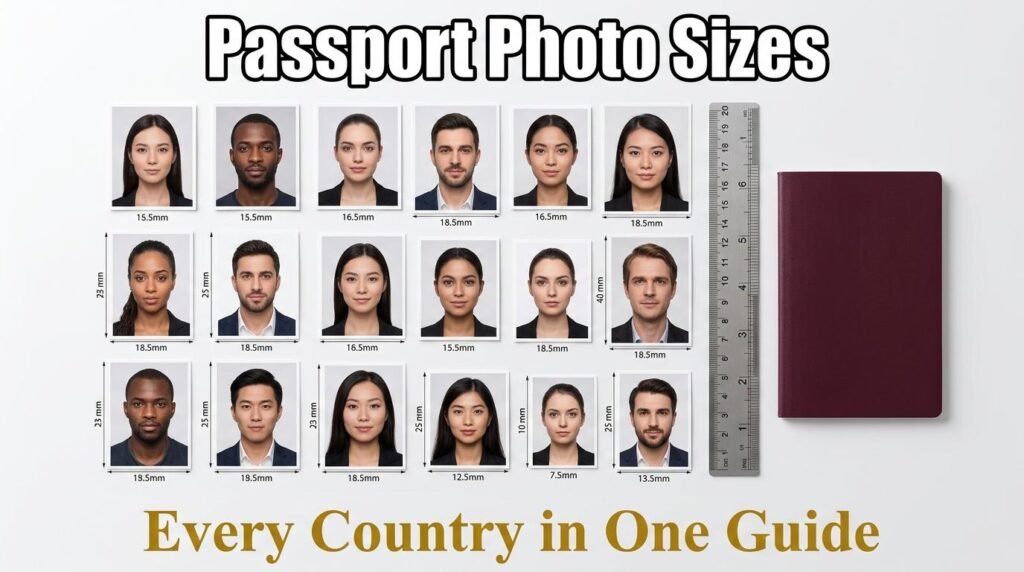
Every country sets its own passport and visa photo dimensions, and getting them wrong means your application gets rejected. The frustrating part is that the requirements differ not just in size but in background color, head position, and whether glasses are allowed. This guide lists the exact photo sizes for the most commonly needed countries and shows you how to resize your photo to any of them in seconds.
US Passport and Visa Photos
The United States requires a 2 × 2 inch (51 × 51 mm) photo for both passports and visas. The background must be plain white or off-white. The head must be between 1 and 1.375 inches (25 to 35 mm) from the bottom of the chin to the top of the head. Glasses are not allowed in US passport photos as of 2016. The photo must be taken within the last six months.
This same 2 × 2 inch size applies to US visa applications, Green Card photos, and Diversity Visa Lottery submissions.
UK and European Passport Photos
The United Kingdom and most Schengen and EU countries use a 35 × 45 mm photo. The background must be plain light grey or cream (the UK specifically requires light grey). The head height from chin to crown should be 29 to 34 mm. Glasses are generally not allowed in new photos. Expression must be neutral with the mouth closed.
Countries using the 35 × 45 mm standard include the UK, Germany, France, Italy, Spain, the Netherlands, and most other EU and Schengen members. This is also the ICAO international standard size.
India Passport Photos
India updated its passport photo requirements in 2025. The current size is 35 × 45 mm, aligning with the international ICAO standard. The background must be plain white. The face should occupy 70 to 80 percent of the frame. Glasses are allowed only if you wear them daily and there is no glare.
For Indian visa applications to other countries, check the destination country’s requirements — they may differ from India’s own passport size.
Canada Passport Photos
Canada requires a 50 × 70 mm photo, which is larger than most countries. The background must be plain white or light grey. The face from chin to crown must be between 31 and 36 mm. Glasses are not allowed. The photo must show the full head and top of the shoulders.
China Passport Photos
China uses a 33 × 48 mm photo. The background must be white. The head width should be 15 to 22 mm and the head height 28 to 33 mm. Glasses are generally not recommended. This size is unique to China and does not match any other country’s standard.
Australia and Japan
Both Australia and Japan use the 35 × 45 mm ICAO standard. Australia requires a light-colored plain background (white or light grey). Japan requires a white background. Both countries prohibit glasses and require a neutral expression.
Gulf Countries
Gulf countries have specific requirements that differ from the ICAO standard:
Saudi Arabia uses a digital 200 × 200 pixel photo for e-visa applications, submitted online with a white background. Physical passport photos follow the 40 × 60 mm format.
The UAE requires 43 × 55 mm for visa applications with a white background. UAE passport photos use 40 × 60 mm with a light grey background.
Qatar follows the ICAO standard at 35 × 45 mm with a white background.
Kuwait requires 40 × 50 mm with a white background.
Oman uses 40 × 60 mm, the same as the UAE passport size.
Bahrain requires 40 × 50 mm with a light blue or white background.
Spain National ID
Spain has a unique requirement for its national identity card (DNI) photo: 26 × 32 mm, significantly smaller than the standard passport size. The background must be plain white and the expression neutral.
Quick Reference Table
Here is a summary of the most commonly needed photo sizes:
US passport and visa: 51 × 51 mm (2 × 2 inches). UK and EU: 35 × 45 mm. India: 35 × 45 mm. Canada: 50 × 70 mm. China: 33 × 48 mm. Australia: 35 × 45 mm. Japan: 35 × 45 mm. Saudi Arabia e-visa: 200 × 200 pixels. UAE visa: 43 × 55 mm. UAE passport: 40 × 60 mm. Qatar: 35 × 45 mm. Kuwait: 40 × 50 mm. Oman: 40 × 60 mm. Bahrain: 40 × 50 mm. Spain DNI: 26 × 32 mm.
How to Resize Your Photo to Any Country’s Requirements
The fastest way to get the right size is to use a photo resizer with built-in passport presets. The image resizer on fixupeasy has presets for all the countries listed above — select your country from the Passport dropdown, upload your photo, and the tool crops and resizes it to the exact dimensions required. You can also set the DPI, choose crop-to-fill or fit-with-background mode, and compress the output to a target file size if needed.
Everything runs in your browser, so your photo is never uploaded to any server.
Tips for a Photo That Will Not Get Rejected
Use a plain white or light-colored wall as your background. Stand about one meter from the wall to avoid shadows. Use natural daylight or soft artificial light to avoid harsh shadows under the nose and chin. Look directly at the camera with a neutral expression. Remove glasses, hats, and head coverings unless required for religious reasons. Make sure the photo is recent — most countries require it to be taken within the last six months.
Frequently Asked Questions
What is the standard passport photo size?
The international ICAO standard is 35 × 45 mm, used by the UK, EU, India, Australia, Japan, and many others. The US uses 51 × 51 mm, and Canada uses 50 × 70 mm.
Can I take a passport photo with my phone?
Yes, as long as the lighting, background, and dimensions meet the requirements. Use a solid white wall, natural light, and resize the photo to the correct dimensions with a tool like the image resizer.
What is the UAE visa photo size?
The UAE visa photo is 43 × 55 mm with a white background. The UAE passport photo is 40 × 60 mm with a light grey background.
Do I need to print the photo or can I submit it digitally?
It depends on the application. Many visa applications now accept digital uploads. Passport renewals in some countries still require printed photos. Check the specific requirements for your application.
Resize Your Photo Now
Get the exact dimensions for any country in seconds. Open the image resizer, choose your country from the Passport presets, and upload your photo. For more image tools, see the image compressor and QR code generator.