How to Create a QR Code for Free (2026 Guide)
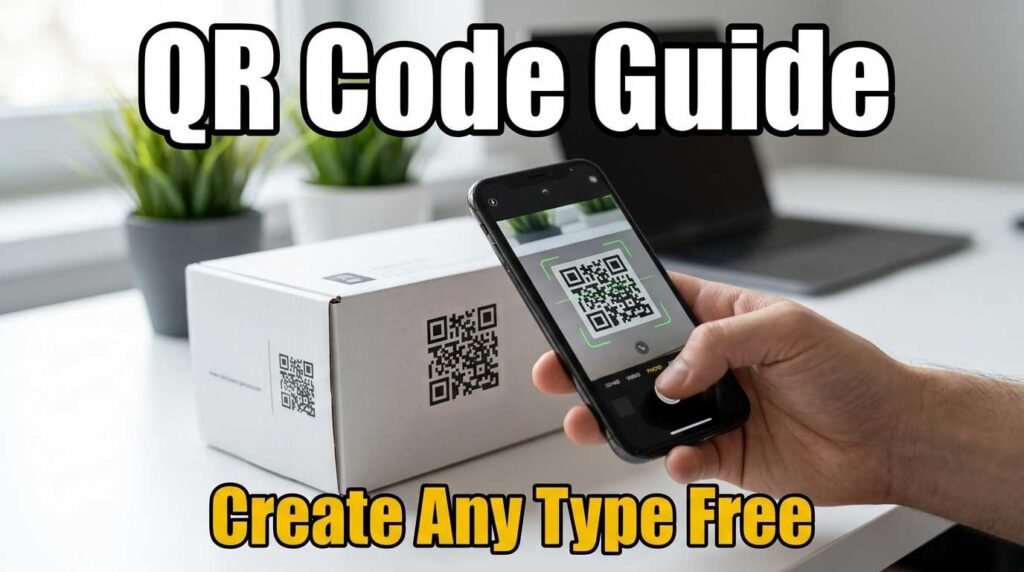
How to Create a QR Code for Free (2026 Guide)
A QR code is the fastest way to connect the physical world to the digital one. Whether you need a QR code for a website link, a WiFi network, a business card, or a payment page, creating one takes less than 30 seconds with the right tool. This guide walks through every type of QR code you can create for free, when to use each one, and how to make sure it scans reliably every time.
What Is a QR Code and How Does It Work?
A QR code (Quick Response code) is a two-dimensional barcode that stores information in a grid of black and white squares. When you scan it with a phone camera, the device reads the pattern and takes an action — opening a website, connecting to WiFi, saving a contact, or starting a message. The action depends on what data is encoded inside.
Unlike traditional barcodes that store only a number, QR codes can hold URLs, plain text, contact details, WiFi credentials, payment information, calendar events, and more. The maximum capacity is about 3,000 characters of text or 7,000 digits, which is more than enough for any practical use case.
How to Create a QR Code in 3 Steps
Creating a QR code is straightforward with a free QR code generator. First, select the type of QR code you need — URL, WiFi, vCard, email, or any of the other available types. Second, enter the content you want to encode, such as a website address or WiFi password. Third, customize the colors and size if you want, then download the QR code as a PNG for screens or SVG for print.
The entire process takes seconds and runs in your browser. Your data is never uploaded to any server, which is especially important when creating WiFi QR codes that contain your network password.
Types of QR Codes You Can Create
URL / Website QR Code
The most common type. Paste any website URL and the QR code opens that page when scanned. Use it on business cards, posters, product packaging, and marketing materials to drive traffic to your website, landing page, or online store.
WiFi QR Code
Encodes your network name, password, and encryption type. When guests scan it, their phone connects to your WiFi automatically — no typing the password. Perfect for restaurants, cafes, hotels, offices, and Airbnbs. Create one with the WiFi QR code generator and print it near your entrance.
vCard QR Code (Digital Business Card)
Stores your name, phone number, email, company, job title, website, and address. When scanned, the phone offers to save all your details directly to contacts. Far more useful than a URL QR code on a business card because it saves every field in one tap. Use the vCard QR code generator to create yours.
WhatsApp QR Code
Opens a WhatsApp chat with your number and an optional pre-filled message. Customers scan and start chatting instantly without needing to save your number first. The WhatsApp QR code generator is popular for customer support, restaurants, and service businesses.
Social Media QR Codes
Link directly to your profile on Instagram, YouTube, TikTok, LinkedIn, Facebook, or any other platform. Put the QR code on your product packaging, business card, or event signage to grow your following from offline interactions.
Payment QR Codes
Accept payments through PayPal, Venmo, UPI, or cryptocurrency. Customers scan to pay without needing a card reader. Ideal for market stalls, tip jars, freelancers, and small businesses.
Google Review QR Code
Links directly to your Google Business review form. Place it on receipts, table tents, or checkout counters to collect more reviews. The Google Review QR code generator creates a code that takes customers straight to the review form with one scan.
How to Customize Your QR Code
A plain black-and-white QR code works perfectly, but customization helps it match your brand. You can change the foreground color to your brand color (dark colors work best for scannability), change the background to white or a very light color, and upload your logo to overlay in the center. When adding a logo, set the error correction level to H (High) which allows up to 30 percent of the code to be covered while still scanning reliably.
Static vs Dynamic QR Codes
Static QR codes encode the data directly in the pattern. The content cannot be changed after the code is created, but the code works forever and never expires. All QR codes created with free generators like the fixupeasy QR code generator are static.
Dynamic QR codes encode a redirect URL that points to a server, which then forwards to the actual destination. The destination can be changed without reprinting the code, and scan statistics can be tracked. Dynamic codes typically require a paid subscription. For most use cases, static codes are perfectly adequate — just make sure the destination URL will not change.
Best Practices for QR Codes
Print size matters. The minimum recommended size is 2 centimeters by 2 centimeters for a business card, and at least 3 centimeters per meter of viewing distance for posters and signage. A QR code that is too small will not scan reliably.
Contrast is essential. Dark foreground on a light background scans best. Avoid low-contrast combinations like yellow on white or light grey on white. If you use brand colors, make sure there is enough contrast for cameras to read the pattern.
Always test your QR code by scanning it with at least two different phones before printing. What looks fine on screen can sometimes fail to scan at small sizes or on certain paper finishes.
Frequently Asked Questions
Are QR codes free to create?
Yes. Static QR codes can be created for free with no limits using a browser-based QR code generator. Dynamic QR codes with tracking typically require a paid plan.
Do QR codes expire?
Static QR codes never expire. They work as long as the content they link to exists. A URL QR code will work forever unless the website goes down.
Can I put a logo in my QR code?
Yes. Set error correction to H (High) and upload your logo. The code remains scannable with up to 30 percent coverage.
Which QR code format should I download?
PNG for screens and digital use. SVG for print, because it scales to any size without losing quality.
Create Your QR Code Now
Pick your type and get started in seconds. Open the QR code generator to create a QR code for any link, WiFi network, business card, payment, or social media profile — free, private, and unlimited.